Hallo ubuntu studio mail list members,

I have issues with a Lenovo Thinkpad X220t
<https://www.lenovo.com/us/en/laptops/thinkpad/x-series-tablet/x220tablet/>,
I recently installed ubuntu studio 18.04.4 LTS on. The pen display that
is based on wacom technology works quite well with the xsetwacom-driver,
what makes it a nice computer for digital drawing and similar purposes.
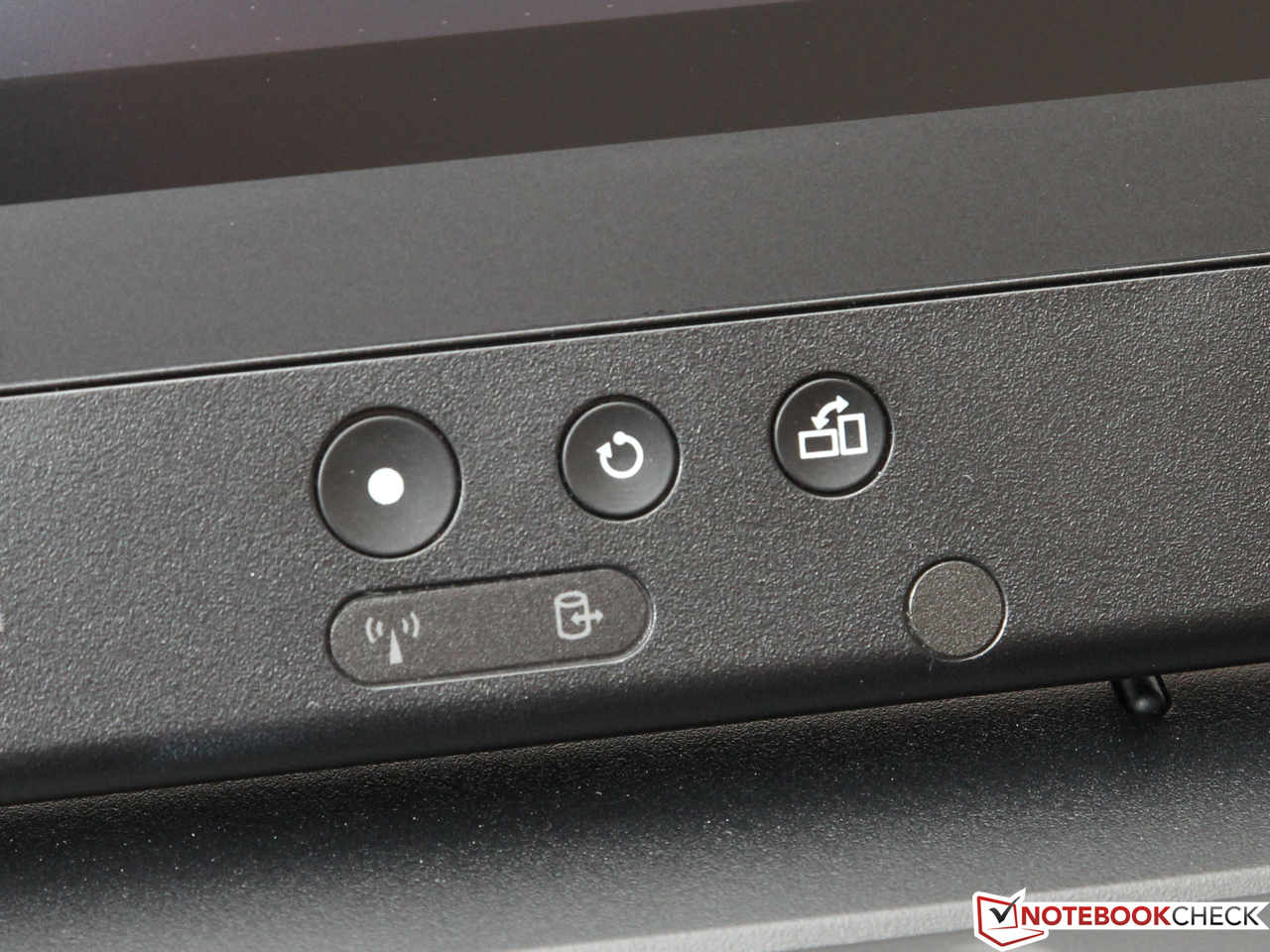
But there is one thing that doesn't work well: The three buttons
underneath the display
<https://www.notebookcheck.net/fileadmin/Notebooks/Lenovo/ThinkPad_X230t/15_tasten.jpg>
(XF86PowerOff, XF86TastPane, and XF86RotateWindows) stop working in
tablet mode. Tablet mode
<https://www.notebookcheck.net/fileadmin/_processed_/csm_IMG_7376_Kopie_07_cf4915daf8.jpg>
means you can convert the device from a laptop to a tablet by flipping
the display and folding it, so it covers the keyboard. In Krita or Gimp
it would improve the workflow a lot, if I could give extra functions to
these buttons, for example: zooming. This makes sense because in tablet
mode you cannot reach the keyboard.
I can do the remapping for example via the keyboard shortcuts menu in
the settings manager of ubuntu studio or also directly in Krita
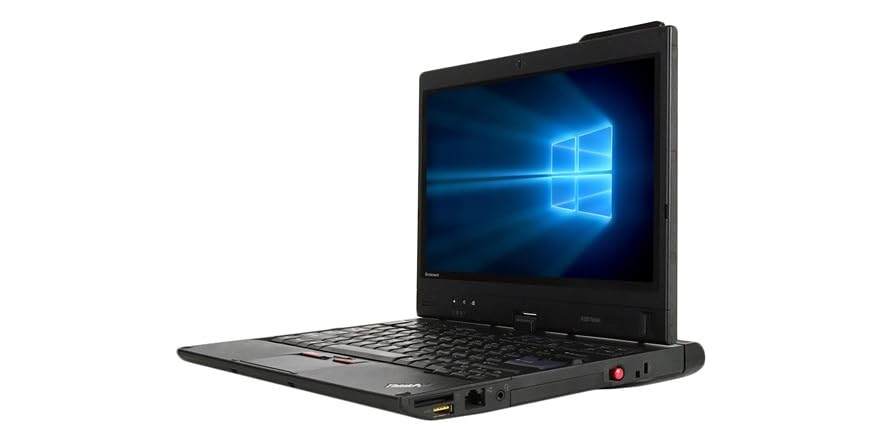
configurations. And as long as the device is in laptop mode
<https://images-na.ssl-images-amazon.com/images/S/mediaservice.woot.com/e1adc77c-5f30-4255-8f38-c88811889b96._AC_SR882,441_.jpg>,
the remapping works fine.

The problem: Turned into tablet mode, the buttons stop working.
Remapping them then is not possible, and also xev doesn't report
anything. So I guess the device seems to not detect the buttons.

Further information: I read in a thinkpad forum, that there is a
magnetic sensor. If I hover the display in tablet mode a few
centimeters, the buttons work again like in laptop mode. In bios the
XF86PowerButton at the display also works in tablet mode, so it seems to
be no hardware problem (the other two buttons I can not test. They seem
to not be mapped during the startup process, neither in laptop nor
tablet mode). Before I had a Debian installed with gnome 3 desktop
environment and there the whole problem didn't occure: The remapping of
the buttons worked fine in laptop and in tablet mode.

What I tried so far:
With "xsetwacom get "Wacom ISDv4 90 Pen stylus" all" I get an overview
over parameters set with xsetwacom. There is an option: "TPCButton"
"on". "TPCButton" means "Tablet PC buttons", I guess these might be the
three buttons that I have issues with. But unfortunately if I switch
this option to "off" nothing changes.
By the way the output of "xsetwacom get "Wacom ISDv4 90 Pen stylus" all"
doesn't change from laptop to tablet mode (for tablet mode, since I
cannot reach the enter button, I tested it with "sleep 10 && xsetwacom
get "Wacom ISDv4 90 Pen stylus" all". The 10 seconds delay I used for
converting the device to tablet mode)


My conclusion: I guess in ubuntu studio there is a driver that detects
the signals from the sensor so the system "knows", that the display is
turned and folded. And (what doesn't make much sense to me)
unfortunately in tablet mode the three buttons are switched off.

Suggestion: If it is like that, the maybe easiest way to solve the
problem, would be to switch off that detection or the service behind it.
Does any of you know how to do that? Or do you have another idea, how I
could get these buttons in tablet mode to work?

I hope I presented my problem understandable. If you need any further
information, let me know!

I would be really happy if you could help me! Even though the X220t is
old, it still has plenty of power to cover the needs of graphical design
with ubuntu studio. To make use of the full potential of the device's
properties and ubuntu studio, using this three buttons in tablet mode
would be awesome!

Thanks a lot!
Best!
Daniel


ps: What I just found out: It seems that the three buttons are
interpreted as regular part of the keyboard. If I convert the device to
tablet mode and stick a thin pen between the display and the keyboard,
to press some keys of the keyboard while the sensor detects "tablet
mode", also no input is detected. To me that means in tablet mode the
whole internal keyboard is switched off.
--
ubuntu-studio-users mailing list
[email protected]
Modify settings or unsubscribe at:
https://lists.ubuntu.com/mailman/listinfo/ubuntu-studio-users