Hi Anand,

On 11/28/25 14:50, Anand Moon wrote:
Hi Heinrich,
Thanks. I am having the same issue with my Radxa Rock Pi 4 B Plus.

But I am booting from SPI flash, so I cannot stop this board in the
U-Boot prompt.

Is there any other way to flash the SPI flash u-boot-rockchip-spi.bin image
in the user space to spi flash? using dd coammnd

  From the schematics, it has W25Q64FWZPIG

[1] https://dl.radxa.com/rockpi4/docs/hw/rockpi4/rockpi4_v13_sch_20181112.pdf

I have tried to enable SPI flash, but it is not getting detected on
the board in userspace.
https://wiki2.radxa.com/Rockpi4/dev/usb-install
has some guidance how to avoid booting from SPI NOR flash.
Thanks for your tip.

I've attempted this method, but it hasn't worked for me.
Could you provide the SPI details for this board so I can map it in driver code
and from userspace and then attempt to erase or reflash the image?

on my board
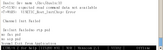
[    1.282609] mmcblk0boot0: mmc0:0001 SLD64G 4.00 MiB
[    1.285862] spi-nor spi1.0: unrecognized JEDEC id bytes: ff ff ff ff ff ff
Are you using dts with "audio-supply = <&vcc_3v0>;"? It should fix SPI too.

1. Make u-boot-rockchip.bin with "audio-supply = <&vcc_3v0>;"
2. Write it to microSD card
3. Insert it
4. Kill SPI flash
5. Boot U-Boot from SD card
6. Revert 4.
7. Try "sf probe" "sf erase"

Best regards,

--
FUKAUMI Naoki
Radxa Computer (Shenzhen) Co., Ltd.
[ 1.285967] mmcblk0boot1: mmc0:0001 SLD64G 4.00 MiB
Set the jumper as shown in the picture to boot from SD-card.
Once booted remove the jumper to erase or update the SPI flash from U-Boot.
This board does not return to the U-Boot prompt.
So I cannot debug this further.
Best regards

Heinrich
Thanks
-Anand