Public bug reported:

bq M10 OTA-10.1
Steps to reproduce:
1. add an app to the side stage
2. remove that app from the side stage

Expected results:
The side stage closes itself

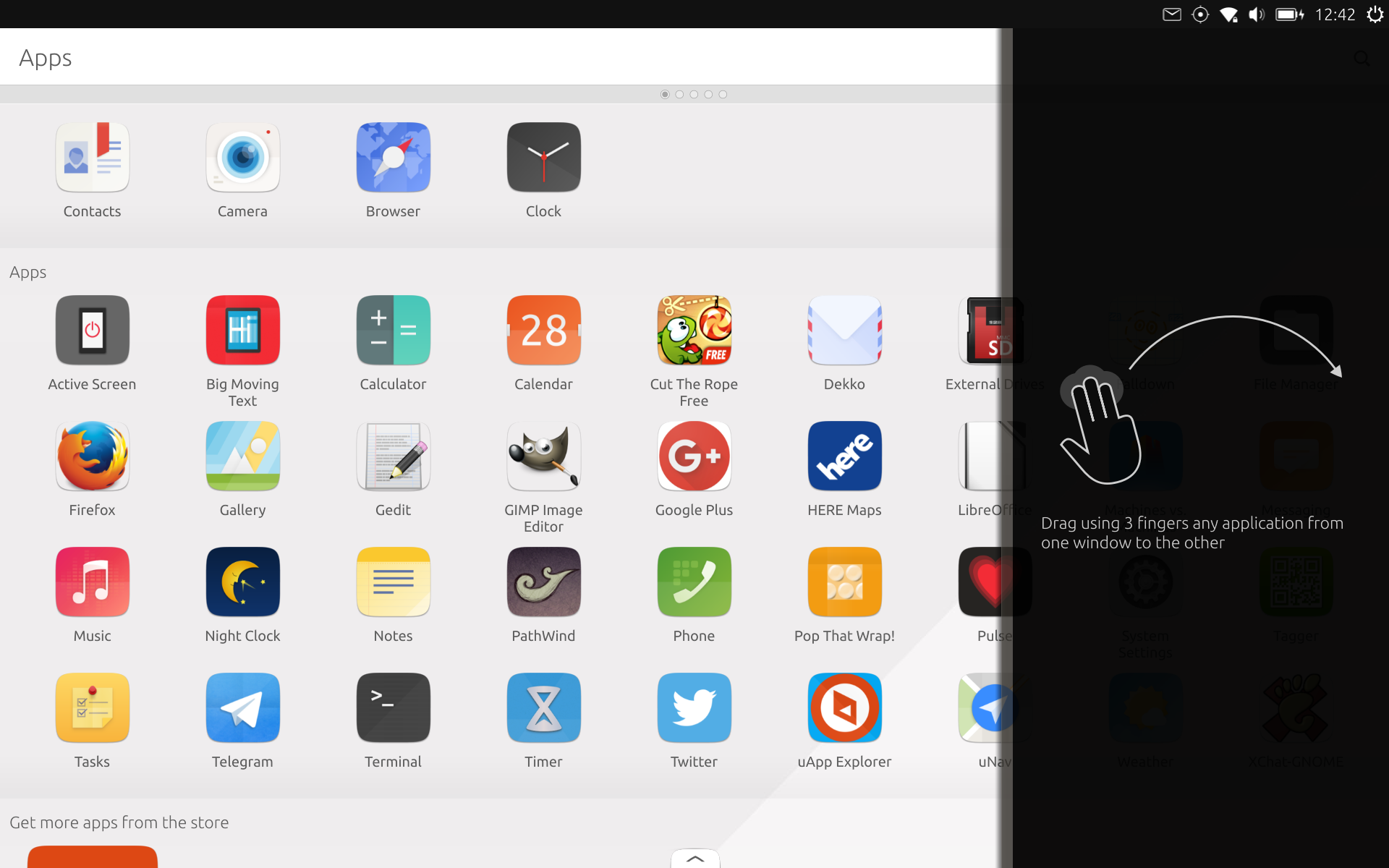
What happens instead:
The side stage stays open and displays information how to add applications to
it. You have to manually close the side stage.

I think showing that information when a user already knows how to put an
app in the side stage is a bit pointless.


Screenshot attached

** Affects: ubuntu-ux
     Importance: Undecided
         Status: New

** Affects: unity8 (Ubuntu)
     Importance: Undecided
         Status: New

** Attachment added: "screenshot20160425_124202629.png"

https://bugs.launchpad.net/bugs/1574599/+attachment/4646407/+files/screenshot20160425_124202629.png

** Also affects: ubuntu-ux
   Importance: Undecided
       Status: New

--
You received this bug notification because you are a member of Ubuntu
Touch seeded packages, which is subscribed to unity8 in Ubuntu.
https://bugs.launchpad.net/bugs/1574599

Title:
  Side stage stays open even if it's empty

Status in Ubuntu UX:
  New
Status in unity8 package in Ubuntu:
  New

Bug description:
  bq M10 OTA-10.1

  Steps to reproduce:
  1. add an app to the side stage
  2. remove that app from the side stage

  Expected results:
  The side stage closes itself

  What happens instead:
  The side stage stays open and displays information how to add applications to
it. You have to manually close the side stage.

  I think showing that information when a user already knows how to put
  an app in the side stage is a bit pointless.


  Screenshot attached

To manage notifications about this bug go to:
https://bugs.launchpad.net/ubuntu-ux/+bug/1574599/+subscriptions

--
Mailing list: https://launchpad.net/~touch-packages
Post to     : [email protected]
Unsubscribe : https://launchpad.net/~touch-packages
More help   : https://help.launchpad.net/ListHelp