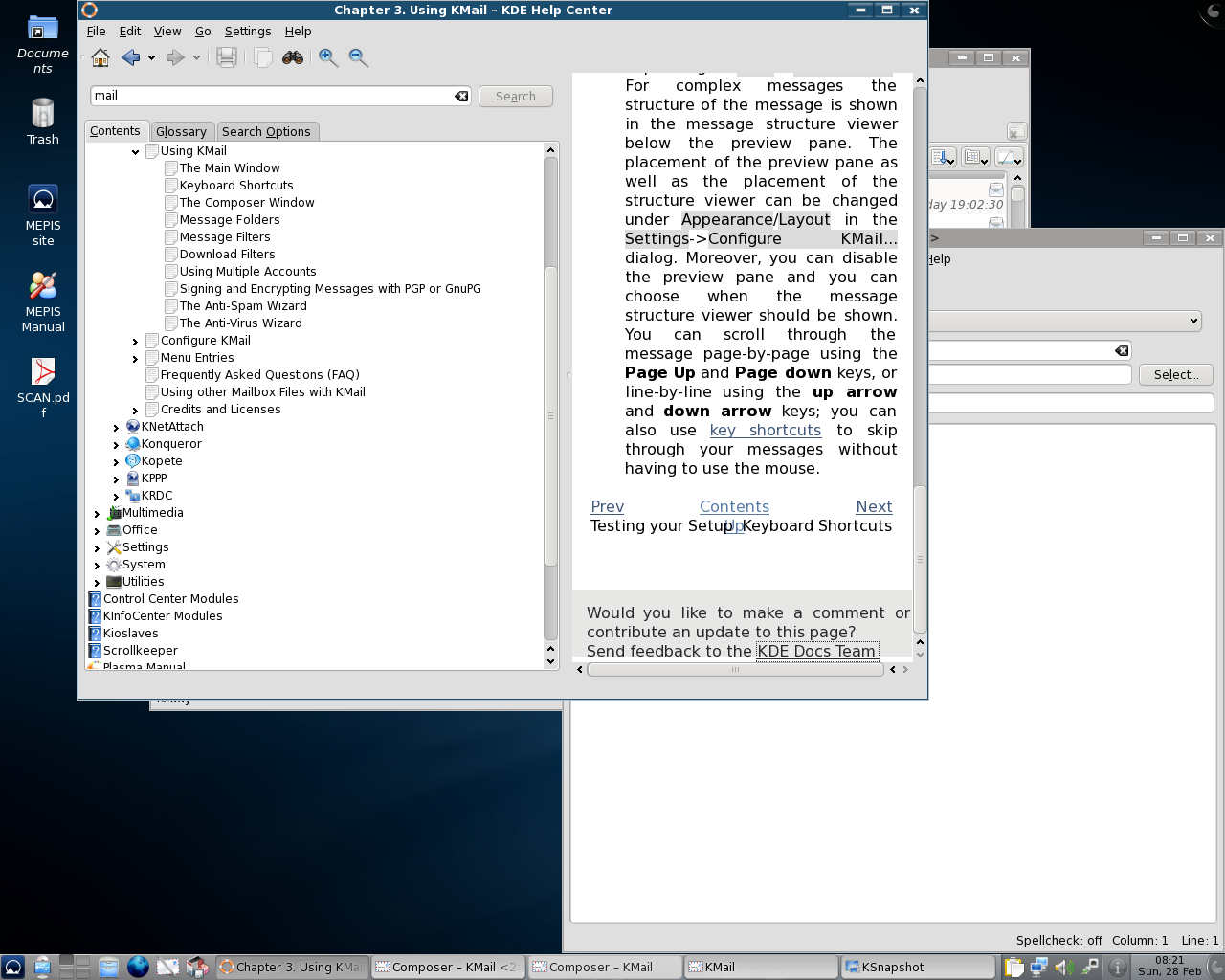
I'm sending a snapshot of my desktop.  I hate to be a complainer but why does
the "Contents" element of the help screen take precidence over the "Text"
portion of the window?  It's very flustrating to only read a few words on the
side when there is a ton of space available that is wasted on a "menu."  When
I expand the window the Menu grows more than the text that I want to read. I'm
not a programer and I don't know how to go in and adjust settings.  So the
default tends to be what I must work with.
It might help to give users the ability to close or resize the menu portion of
the window when the help article is found.

Thanks
-------------- next part --------------
A non-text attachment was scrubbed...
Name: snapshot1.png
Type: image/png
Size: 264474 bytes
Desc: not available
Url :
http://mail.kde.org/pipermail/kde-doc-english/attachments/20100228/a8ee0ff6/attachment.png