Thank you Lofi & Thomas.

we will share our experience after some workaround as per your suggestion.
On Thu, Oct 1, 2020 at 1:28 AM [email protected] <[email protected]>
wrote:

> Yes, this is nice, since GWT home page is developed (in small part) with
> GWT... 😀
>
> To the Debugging with Chrome:
>
>    - Actually you still could read the variable name because it is
>    readable... and you can add your variable to the watcher and it's all
>    readable... Just try it.
>    - To run Jetty (included in GWT) just use Maven cmd "mvn
>    gwt:generate-module gwt:devmode". You can do this *inside* NetBeans or
>    *outside* from NetBeans, makes no difference.
>    - After you change your code NetBeans will compile the Java code, you
>    don't need to stop the Jetty. Just reload your webapp in Chrome browser and
>    GWT transpiler will transpile your changed Java code (incremental), very
>    fast. So, do not restart your Jetty. Chrome will show the changed code
>    after the reload.
>
> To be able to do this you need to separate the projects:
>
>    - client
>    - shared
>    - server
>
> So you are able to just use the integrated Jetty from GWT and you don't
> need the "server" part. You'll find lot of advantages to separate those
> modules. It is later easier to upgrade to the newer version of GWT and you
> don't have  "classpath hell".
>
> The easiest thing to test the complete cycle of your webapp is to run two
> web containers:
>
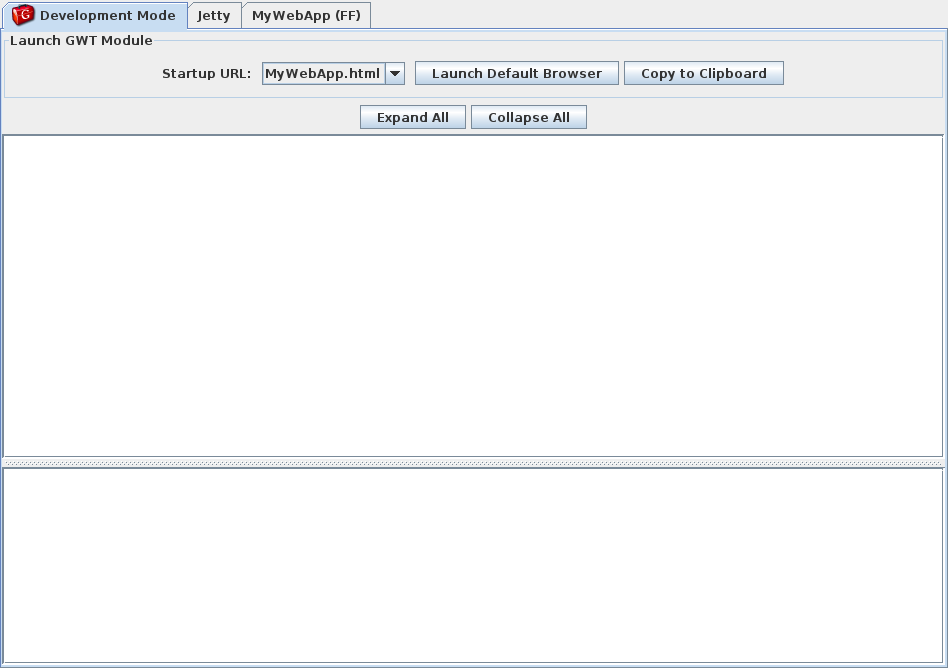
>    1. Jetty web container for the *client* part. This is integrated in
>    GWT, see this screenshot:
>    http://www.gwtproject.org/images/myapplication-devmode.png
>    2. On the *server* you just use the web container which you need:
>       - If you are using Spring Boot, just use it.
>       - If you are using JBoss / WildFly just use it.
>
> The *client* (web browser with HTML, JS and CSS) accesses the *server*
> (Servlet, ...) with *remote* procedure anyway (GWT RPC, REST, ...). So
> it's ok to run 2 processes in the *development time*. In the *deployment
> time* later, you could "copy" the result of the client (HTML, CSS, JS) to
> the root directory of your web container, so that you could just run one
> process.
>
> Remember, the result of the "client" part is *only* HTML, JS, CSS and
> other resources.
>
> With this in mind you could begin to restructure your one huge project
> into 3 projects.
>
> BTW.: I found this page, it seems NetBeans can also debug JavaScript with
> Chrome. So the debug solution *number (2)* above could also work in
> NetBeans:
> https://netbeans.org/kb/docs/webclient/html5-js-support.html
> <https://netbeans.org/kb/docs/webclient/html5-js-support.html>
> You have NetBeans Connector for Chrome:
> https://chrome.google.com/webstore/detail/netbeans-connector/hafdlehgocfcodbgjnpecfajgkeejnaa?utm_source=chrome-ntp-icon
>
> So, no need to change your IDE 😉👍
>
> Hope this helps.
> Lofi
> [email protected] schrieb am Mittwoch, 30. September 2020 um 16:13:48
> UTC+2:
>
>>
>>
>> On Wednesday, September 30, 2020 at 12:25:17 PM UTC+2, [email protected]
>> wrote:
>>>
>>> Yes! you are right NetBeans is not supporting  Super Dev Mode yet. That
>>> is why we need to change the IDE on this stage if need to be get upgraded.
>>> our team has expertise on NetBeans and we don't want to change IDE, but we
>>> don't have any option.
>>>
>>> as you have suggested:
>>>
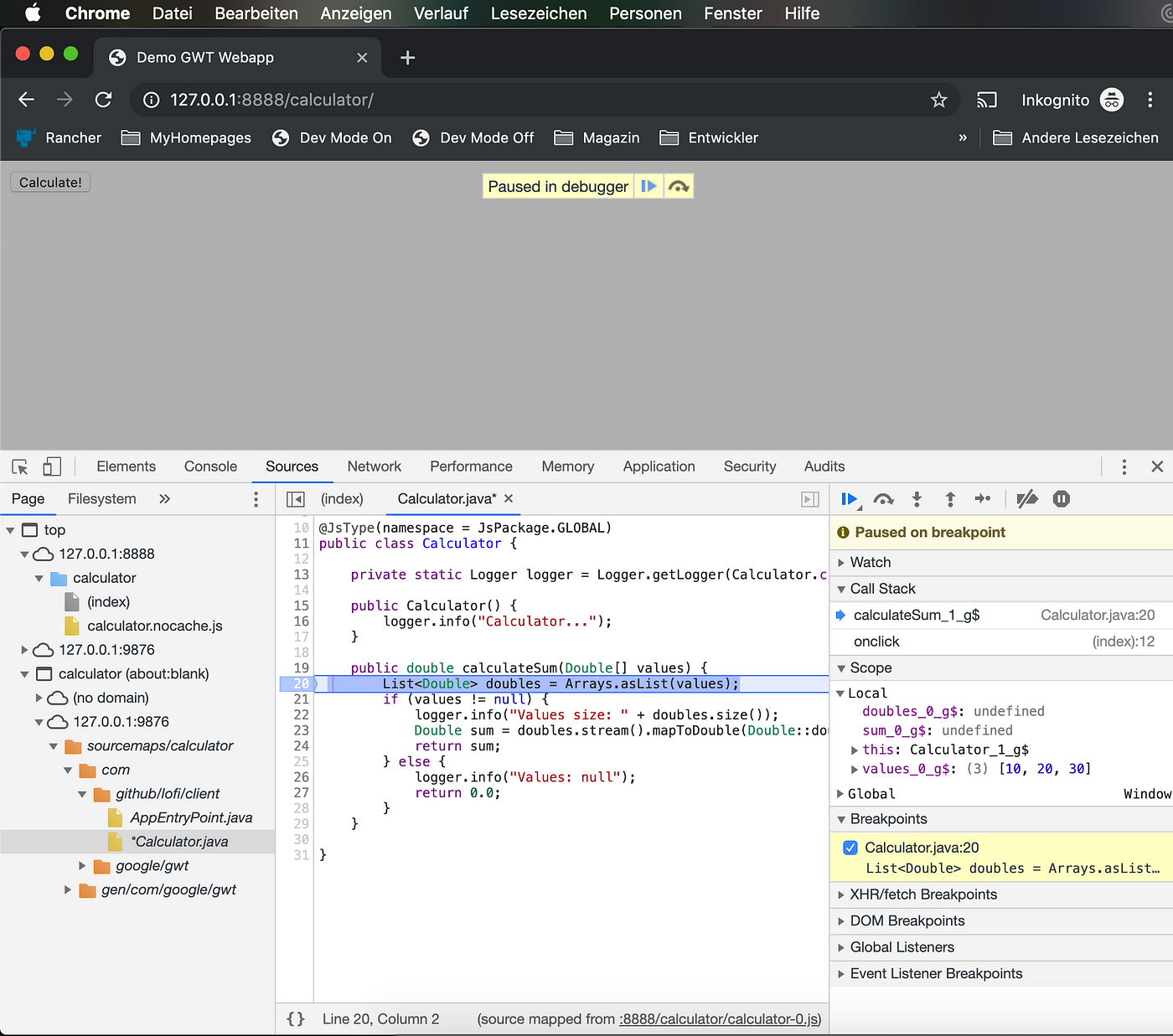
>>> *(1) Directly debug in Chrome, the easiest one but with some problem
>>> with variable names. I found this one is good enough for me,
>>> see: https://miro.medium.com/max/1400/1*zeTE0robP4_HQ2gc6WAVUQ.png
>>> <https://miro.medium.com/max/1400/1*zeTE0robP4_HQ2gc6WAVUQ.png>*
>>>
>>> We are having a quite big project and we guise debugging in chrome
>>> itself will not help us because of variable names (as you also noticed)
>>> etc.
>>> But if we keep the problems aside and just want to see how it works
>>> using NetBeans can you share any link or tutorial for that. Because we
>>> don't think it will run without GWT plugin.
>>> This is what we understood by your example:
>>> 1. creating a client code in NetBeans and run that code by pressing
>>> CTRL+F5 or by any way.
>>> 2. Run our application on chrome by hitting URL:
>>> http://localhost:8080/myGWTapp
>>> 3. Debug the code using chrome inbuilt debugger.
>>> 4. If bug found then stop the server and do the changes in NetBeans and
>>> again repeat the process from Step-1.
>>>
>>> how this will show the java code on chrome inBuilt debugger.
>>>
>>
>> Go to http://www.gwtproject.org/
>> Open dev tools
>> Ctrl+O → start typing GwtProjectEntryPoint.java, then enter
>> Java source for that class opens in the sources tab and you can set
>> breakpoints here and debug the website.
>>
>> This is because the website has been deployed with sourcemaps and a copy
>> of the sources.
>>
>>
>>>
>>>
>>> *(2) Try to run the debugger on Chrome in your IDE. For this to work
>>> your IDE needs to have Chrome Web Browser Plugin (IntelliJ Ultimate and
>>> Eclipse have this). Here is an example doing this in
>>> IntelliJ: https://gist.github.com/hpehl/bd00b22586d0c75d37d5fe7f0cfcd823
>>> <https://gist.github.com/hpehl/bd00b22586d0c75d37d5fe7f0cfcd823> (never
>>> tried this by myself) *
>>>
>>> if it comes to change the IDE then in that case we will opt Eclipse. The
>>> link provided by you is for IntelliJ only.
>>>
>>> *(3) In Eclipse you have the plugin SDBG (which is actually the
>>> extension of (2)): https://sdbg.github.io <https://sdbg.github.io/> (never
>>> tried this by myself) *
>>>
>>> Yes we are trying to prepare a development environment for SDBG in
>>> Eclipse but we are facing some issues.
>>> 1. It is forcing us to use JETTY as a server. but as we have already
>>> mentioned that we are having a big project and using
>>>      client, shared, server all module in same project. means we have
>>> not separated the client & server code yet.
>>>      so we cannot depend of JETTY we want to use server of or choice.
>>>
>>> 2. Because our project is big. So for maintenance point of view we have
>>> broken the project into many small - small jars and finally we include that
>>> jar files in a web project and build a single war file.
>>> All is going well, when we start debugging via SDBG and use super dev
>>> mode browser starts the compilation automatically and we are also able to
>>> debug it via Eclipse.
>>> if we need to do any changes we can do it on Eclipse and just need to
>>> refresh the browser without restarting the server and it compiles the code
>>> well and reflects the changes made.
>>> But if we do the changes in the JAR files, compile them and then try to
>>> refresh the browser it do not reflect the changes.
>>> Does this means super dev mode will work only in case of single web
>>> project, To reflect the changes done in external files we need to restart
>>> the server again. if so then there will be no use of super dev mode for us
>>> (in terms of speed, compilation & development both).
>>>
>>>
>>> Please help us providing a better way so that we could upgrade or
>>> applications from GWT 2.6.1 to latest 2.9.0.
>>> Now we are feeling stucked ....
>>>
>>>
>>>
>>> On Wednesday, September 30, 2020 at 2:34:27 PM UTC+5:30
>>> [email protected] wrote:
>>>
>>>> Debugging with the old client is dead, because of changes from web
>>>> browser, so at the end you have to migrate to Super Dev Mode.
>>>>
>>>> It's a pitty that NetBeans still hasn't support the new Super Dev Mode
>>>> but there are workarounds:
>>>>
>>>> (1) Directly debug in Chrome, the easiest one but with some problem
>>>> with variable names. I found this one is good enough for me, see:
>>>> https://miro.medium.com/max/1400/1*zeTE0robP4_HQ2gc6WAVUQ.png
>>>>
>>>> (2) Try to run the debugger on Chrome in your IDE. For this to work
>>>> your IDE needs to have Chrome Web Browser Plugin (IntelliJ Ultimate and
>>>> Eclipse have this). Here is an example doing this in IntelliJ:
>>>> https://gist.github.com/hpehl/bd00b22586d0c75d37d5fe7f0cfcd823 (never
>>>> tried this by myself)
>>>>
>>>> (3) In Eclipse you have the plugin SDBG (which is actually the
>>>> extension of (2)): https://sdbg.github.io (never tried this by myself)
>>>>
>>>> Is there other possibilities?
>>>>
>>>> [email protected] schrieb am Mittwoch, 30. September 2020 um 09:51:00
>>>> UTC+2:
>>>>
>>>>> Thank You Frank & Lofi for your guidance.
>>>>>
>>>>> We will analyze the links  provided by you and revert you back what we
>>>>> experience on that.
>>>>>
>>>>> But the point where we have a doubt is, currently we use GWT 2.6.1
>>>>> plugin for netbeans and are able to debug a client source in netbeans it
>>>>> self.
>>>>> By marking a breakpoints in client source on netbeans, browser
>>>>> automatically communicate with netbeans because of (browser GWT plugin &
>>>>> netbeans GWT plugin).
>>>>> Browser transfers the control on the break point already marked in
>>>>> netbeans and from there we can debug our code (using F7, F8 keys) in
>>>>> netbeans itself.
>>>>>
>>>>> Will we get this type of functionality after moving to maven or
>>>>> whatever, as you suggest.
>>>>> We just want to know how will we able to debug our client source in
>>>>> java same as previous.
>>>>>
>>>>>
>>>>>
>>>>>
>>>>>
>>>>> On Tuesday, September 29, 2020 at 3:05:53 AM UTC+5:30
>>>>> [email protected] wrote:
>>>>>
>>>>>> NetBeans has a *very good Maven support*. So you can do everything
>>>>>> with Maven, also in NetBeans. With Maven you are IDE independent:
>>>>>>
>>>>>>    -
>>>>>>    http://netbeans.apache.org/tutorials/70/nbm-maven-modulesuite.html
>>>>>>
>>>>>> *Introduction to Maven:*
>>>>>>
>>>>>>    - Introduction to Maven: https://www.baeldung.com/maven
>>>>>>
>>>>>> After you know how to work with Maven...
>>>>>>
>>>>>>    - Take a look at this article: http://bit.ly/WebJavaStory
>>>>>>    - ... with this simple example:
>>>>>>    https://github.com/lofidewanto/jsinterop-simple-example
>>>>>>       - Checkout the example and run it as it explained in the
>>>>>>       README.MD
>>>>>>       - You can try to run the example... debug it... just like what
>>>>>>       the article shows you.
>>>>>>
>>>>>> Maven plugin for GWT:
>>>>>>
>>>>>>    - There is one and only Maven plugin you should use:
>>>>>>    https://github.com/tbroyer/gwt-maven-plugin.
>>>>>>
>>>>>> It is worth it for everyone to learn Maven to build you project, so
>>>>>> you are IDE independent.
>>>>>>
>>>>>> Also you can take a look at this presentation to understand the
>>>>>> anatomy of GWT web apps: https://bit.ly/gwtintropresentation
>>>>>>
>>>>>> If you have done the Maven stuffs you can use the *Project Generator*
>>>>>> which Frank showed above. The important part IMHO is to understand what
>>>>>> Maven gives you and how you can use Maven to build your project first.
>>>>>>
>>>>>> Hope this helps.
>>>>>> Lofi
>>>>>> [email protected] schrieb am Montag, 28. September 2020 um 13:47:00
>>>>>> UTC+2:
>>>>>>
>>>>>>>
>>>>>>> hi Lofi,
>>>>>>>
>>>>>>> we are also having same problem. we are using:
>>>>>>> 1. 2.6.1 GWT version.
>>>>>>> 2. netbeans as a GUI with GWT plug in (which helps in debugging
>>>>>>> Source (SDBG))
>>>>>>>
>>>>>>> but now, we want to switch to newer or latest version of GWT 2.9.0
>>>>>>> but there is no plugin for netbeans yet.
>>>>>>> Instead there is a eclipse plugin, so we don't  have any option, we
>>>>>>> just have to move on eclipse (provide the training to team and
>>>>>>> understanding the eclipse functionality etc.).
>>>>>>>
>>>>>>> reading your answer seems that we can use maven for all things. But
>>>>>>> as we always worked on netbeans we don't know how can we configure,
>>>>>>> develop, debug etc. the GWT project in maven.
>>>>>>>
>>>>>>> can you please help us or share any document which can help us
>>>>>>> understanding the GWT project configuring in MAVEN.
>>>>>>>
>>>>>>>
>>>>>>>
>>>>>>> On Saturday, September 12, 2020 at 3:12:16 PM UTC+5:30
>>>>>>> [email protected] wrote:
>>>>>>>
>>>>>>>> @Craig: Oh I don't know that Eclipse Plugin... I never use it...
>>>>>>>>
>>>>>>>> I always use pure Maven and if you are familiar with Spring Boot,
>>>>>>>> I've developed similar mechanism GWT Boot (at the moment without the
>>>>>>>> Initializr, but I'm planning to do that).
>>>>>>>>
>>>>>>>> https://github.com/gwtboot/gwt-boot-modules
>>>>>>>>
>>>>>>>> ... with all examples available just like Spring Boot... All still
>>>>>>>> ini SNAPSHOT, so if you are working behind a firewall in your company
>>>>>>>> you
>>>>>>>> need to add the Sonatype Snapshot:
>>>>>>>>
>>>>>>>> <repositories>
>>>>>>>>     <repository>
>>>>>>>>         <id>sonatype-snapshots</id>
>>>>>>>>         <name>Sonatype Snapshots</name>
>>>>>>>>         <url>
>>>>>>>> https://oss.sonatype.org/content/repositories/snapshots</url>
>>>>>>>> ...
>>>>>>>>
>>>>>>>> Please see: https://github.com/gwtboot/gwt-boot-samples
>>>>>>>>
>>>>>>>> For me it is always easier just to work with Maven and I could
>>>>>>>> choose my IDE (Eclipse, IntelliJ or VSC for Java).
>>>>>>>>
>>>>>>>> Hope this helps.
>>>>>>>> Lofi
>>>>>>>> Craig Mitchell schrieb am Samstag, 12. September 2020 um 05:21:37
>>>>>>>> UTC+2:
>>>>>>>>
>>>>>>>>> I haven't updated to the latest Eclipse yet, however, does the GWT
>>>>>>>>> plugin not work anymore?
>>>>>>>>> http://gwt-plugins.github.io/documentation/gwt-eclipse-plugin/Download.html
>>>>>>>>>
>>>>>>>>> --
> You received this message because you are subscribed to the Google Groups
> "GWT Users" group.
> To unsubscribe from this group and stop receiving emails from it, send an
> email to [email protected].
> To view this discussion on the web visit
> https://groups.google.com/d/msgid/google-web-toolkit/0f22fabd-c924-411e-8851-80312909e99fn%40googlegroups.com
> <https://groups.google.com/d/msgid/google-web-toolkit/0f22fabd-c924-411e-8851-80312909e99fn%40googlegroups.com?utm_medium=email&utm_source=footer>
> .
>


--
Regards
Vineet Jaiswal
[Project Manager]
Dataman Computer Systems Pvt. Ltd.

--
You received this message because you are subscribed to the Google Groups "GWT
Users" group.
To unsubscribe from this group and stop receiving emails from it, send an email
to [email protected].
To view this discussion on the web visit
https://groups.google.com/d/msgid/google-web-toolkit/CAKvEmMrMeE_5nLn3rwg-OAV8n3qKYZYqiOpwEinZNFP1ih8RRg%40mail.gmail.com.