Week 12 Report [Final] blogpost
link<http://gsoc2016gdaldwg.blogspot.ru/2016/08/week-12-report-final.html>
Brief description of the idea.

The aim of my project was to extend GDAL supported formats with DWG.


The state of the project as it was BEFORE your GSOC.

There was a DWG support, but it was not built-in by default, and GDAL Driver
was based on third-party library Teigha (which is not X/MIT licensed, not even
close).


The addition that your project brought to the software.


Libopencad (GDAL CAD Driver engine)

Overview

Libopencad is a library written in C++11, which provides a way to read/write
CAD (DWG/DXF/DXFB) files. It was designed to have a uniformal API to work with
any CAD files. It has a base class - CADFile. Inheriting this class it’s
possible to create a ‘driver’ for any CAD format, all you need to do - is to
overwrite interface functions like ‘GetGeometry(index)’, and others. Now it has
an implementation for DWG2000 (R15), but only for read.

Library comes with ‘cadinfo’ utility, which prints out everything library can
get from file - header variables, CAD custom classes, presented layers and
geometries with their attributes.

Internal structure

Library presents CAD objects in different ways - base class CADObject and other
CAD...Object classes are exact analogues of how DWG format stores information
about its objects. CADGeometry, and other classes which inherits it, are done
for API access to CAD...Object classes.

Library supports 3 modes of reading - READ_ALL (means everything which can be
extracted from CAD file will be read) READ_FAST (skipping some kind of meanless
information - linetypes, CRC check, etc), READ_FASTEST (only geometries
reading, additional info is skipped).

When parsing the file, library does not store any information it does not need.
First, it reads file meta-information, and creates a file map. It only stores
some info about presented layers, and header variables. Then, when calling
application uses CADLayer.GetGeometry(index), it actually reads a geometry from
file, using prepared file map. Sometimes it will be slower than having
everything you have read in cache, but gives you more flexibility what you want
to store in memory, and what you wont.

Library also has special classes which incapsulates I/O functions, so it’s
possible to reimplement them for your needs - by default it uses std::fstream,
but you can make it possible to work with network by make a class inherited
from CADFileIO.


Supported geometries list:

Point, Circle, Ellipse, Arc, Text, Solid, Spline, Line, Polyline 2D, Polyline
3D, LWPolyline, Ray, Raster (Images), MText, MLine, XLine, Polyface Mesh,
3DFace.


GDAL CAD Driver

Overview

GDAL CAD Driver uses libopencad as a datasource. Not everything that libopencad
can read from file is mapped into OGR infrastructure, but it will be done in
near future. Current features are:

  1.  OpenOptions are presented with 2 options:

- MODE - READ_ALL/READ_FAST/READ_FASTEST (means the same as library
OpenOptions).

- ADD_UNSUPPORTED_GEOMETRIES_DATA (YES/NO) - unstable feature, if some of the
objects cannot be mapped into OGR representation (or its just not implemented
yet), it will be presented as a CADUnknown object - OGRFeature without
geometric representation, but with basic info - geometry type, some additional
params.

  1.  CAD header variables are mapped into metadata.

  2.  Unlike DXF driver, CAD driver stores vector data in the appropriate
layers (not all entities in single layer).

  3.  Raster subdatasets are also supported.

  4.  Coordinate system is extracted from DWG file (if it is presented in
accordance with ESRI Docs for DWG files), or from %FILENAME%.prj file in the
same directory.

  5.  CAD Geometry attributes mapping is completely done into OGRLayerDefn. So,
any ACAD BlockReference attributes will be seen in OGRLayerDefn.


Add all the links (hopefully permanent) to access the relevant code and
documentation for the user to get started with testing your application.

During the planning stage, I decided to separate my project into 2 parts:
separated CAD formats support library (named libopencad), and GDAL driver,
which uses it. Library can be used by itself for any reason, and will be
maintained after GSoC.


Links:

Libopencad repository<https://github.com/sandyre/libopencad> (installation is
described in REAME.MD)

Libopencad + GDAL fork<https://github.com/sandyre/gdal_libopencad>

Blog with all reports and notices<http://gsoc2016gdaldwg.blogspot.ru/>

PR with my work into GDAL-trunk.<https://github.com/OSGeo/gdal/pull/145>

GDAL Wiki driver page<https://trac.osgeo.org/gdal/wiki/DWG_driver>


A slide / image should serve to show the main elements of your project.

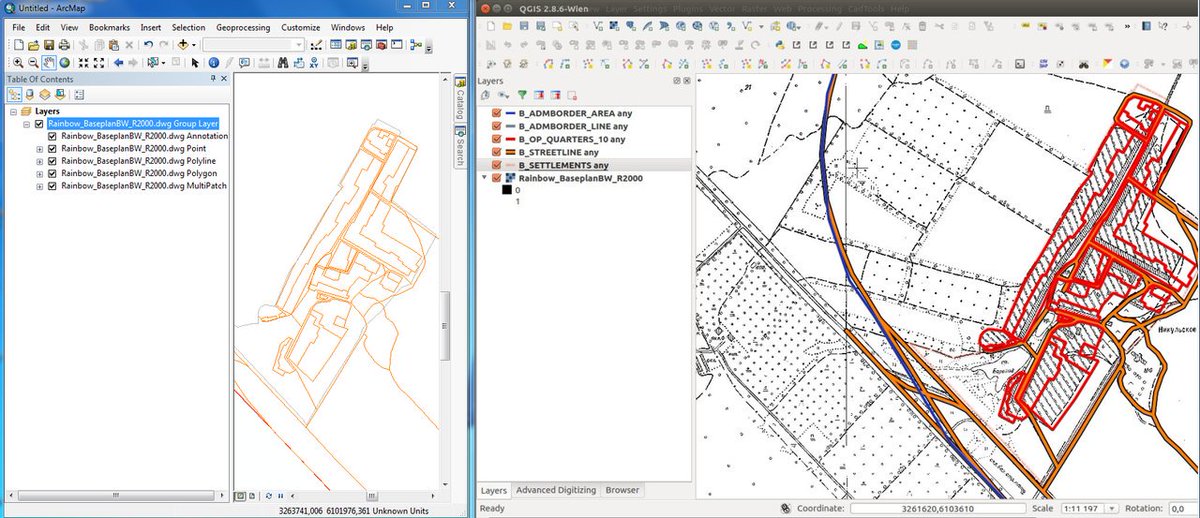
Raster and vector layers by the same driver (left - ArcGIS, right - QGIS):
image link<https://pbs.twimg.com/media/Cm2N_-nVIAA8jBn.jpg>

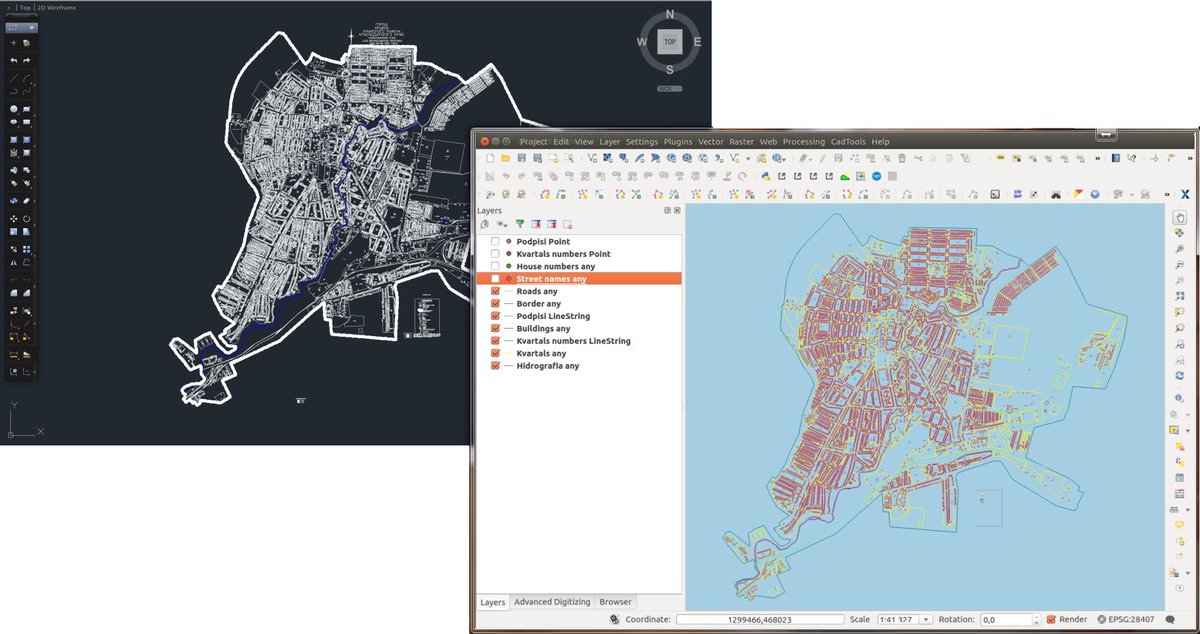
A little comparison between original data source (ACAD) and QGIS with new DWG
driver: image link<https://pbs.twimg.com/media/CmwXIBnWcAAz22X.jpg>

Blockreference attributes mapping into OGRLayerDef: image
link<https://pbs.twimg.com/media/CocvxggWYAACiIg.jpg>


Best regards,

Alexandr Borzykh
_______________________________________________
gdal-dev mailing list
[email protected]
http://lists.osgeo.org/mailman/listinfo/gdal-dev