On 2022-03-12 14:32, David Ward wrote:
> Yes, that is what I meant by physically logged in.
>
> You shouldn't need to be in the scanner group (or the lp group) in
> that case.
The lp group still (21.10) makes a difference for my combined printer
and scanner.

$ lsusb | grep Brother
Bus 001 Device 004: ID 04f9:01ab Brother Industries, Ltd MFC-240C
$ ls -l /dev/bus/usb/001/004
crw-rw-r-- 1 root lp 189, 3 mar 12 11:01 /dev/bus/usb/001/004

> If you remove yourself from both of those groups, does this stop
> working?

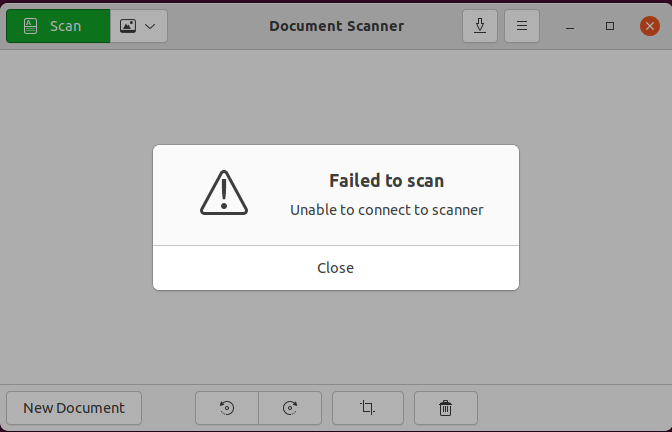
Yes, both simple-scan and xsane stop working; please see attached
screenshots.

> If so, what is the output of "sudo scanimage -L"?

"scanimage -L" keeps working without the lp group (also without sudo)
but apparently there is more into it.

** Attachment added: "simple-scan_error.png"

https://bugs.launchpad.net/ubuntu/+source/sane-backends/+bug/1890464/+attachment/5568207/+files/simple-scan_error.png

--
You received this bug notification because you are a member of Desktop
Packages, which is subscribed to sane-backends in Ubuntu.
https://bugs.launchpad.net/bugs/1890464

Title:
  Can not scan as user

Status in sane-backends package in Ubuntu:
  Confirmed

Bug description:
  # Description

  I can not scan as user using software like simple-scan or xsane.
  If I run xsane and simple-scan with sudo, I can use my scanner.

  It seems to be a permission issue

  # Step to reproduce

  1. Start xsane or simple-scan as user
  2. xsane and simple-scan fail to scan, "device is not connected"
  3. Start xsane or simple-scan with sudo
  4. It works, you can scan

  # Infos

  xubuntu 20.04
  HP Deskjet 2540 All-in-One Printer

  antoine@Talos:~$ apt show sane-utils
  Package: sane-utils
  Version: 1.0.29-0ubuntu5


  antoine@Talos:~$ apt show libsane
  Package: libsane
  Version: 1.0.29-0ubuntu5

To manage notifications about this bug go to:
https://bugs.launchpad.net/ubuntu/+source/sane-backends/+bug/1890464/+subscriptions


--
Mailing list: https://launchpad.net/~desktop-packages
Post to     : [email protected]
Unsubscribe : https://launchpad.net/~desktop-packages
More help   : https://help.launchpad.net/ListHelp