Thank you for reporting this bug to Ubuntu.
Ubuntu 19.04 (disco) reached end-of-life on January 23, 2020.
See this document for currently supported Ubuntu releases:
https://wiki.ubuntu.com/Releases

We appreciate that this bug may be old and you might not be interested
in discussing it any more. But if you are then please upgrade to the
latest Ubuntu version and re-test. If you then find the bug is still
present in the newer Ubuntu version, please add a comment here telling
us which new version it is in and change the bug status to Confirmed.

** Changed in: mutter (Ubuntu)
       Status: Incomplete => Won't Fix

** Changed in: gnome-shell (Ubuntu)
       Status: Incomplete => Won't Fix

--
You received this bug notification because you are a member of Desktop
Packages, which is subscribed to gnome-shell in Ubuntu.
https://bugs.launchpad.net/bugs/1852864

Title:
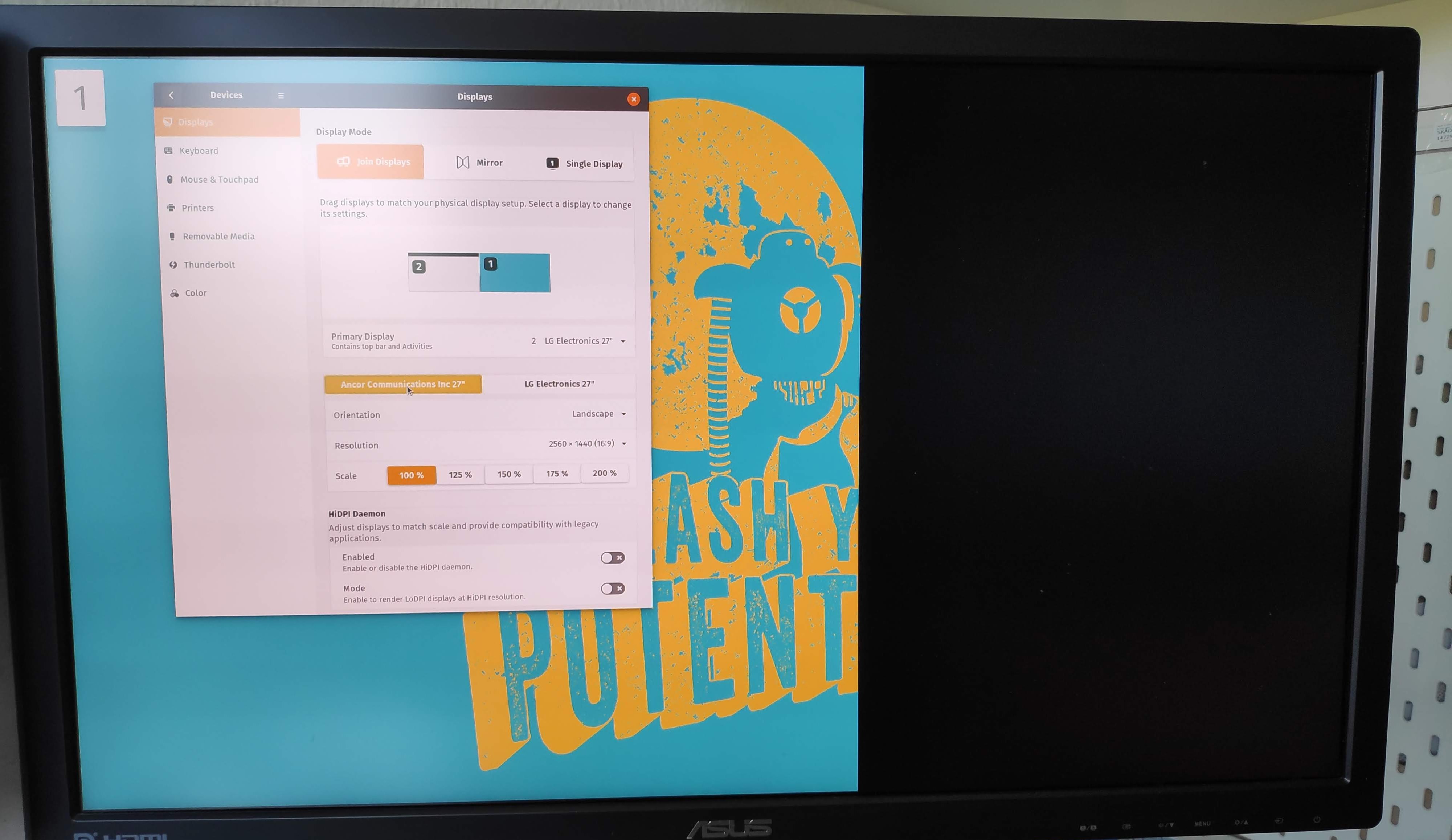
  Fractional Scaling shows a black bar on secondary monitor

Status in gnome-shell package in Ubuntu:
  Won't Fix
Status in mutter package in Ubuntu:
  Won't Fix

Bug description:
  The right part of the external screen shows a black bar when using fractional
scaling.
  This started happening this week.

  Somebody else is also experiencing this problem:
  * [ubuntu discourse
post](https://discourse.ubuntu.com/t/x11-hidpi-scaling-available-for-testing-on-disco/10293/23)
  *
[photo](https://ubuntucommunity.s3-us-east-2.amazonaws.com/original/2X/5/509069037c78c1e5b461e526236ffeb207de1025.jpg)

  Attached monitors:
  * External 4K
  * Laptop: qhd

  Tried connection types:
  *  HDMI (30hz),
  *  HDMI over usb-c
  *  DP over usb-c

  Fractional scaling was set up in this way:
  `gsettings set org.gnome.mutter experimental-features
"['x11-randr-fractional-scaling']"`

  It doesn't seem to be monitor related.
  It works when:
  *  using wayland
  *  turning off fractional scaling
  *  during boot and login

  Installed software:
  *  ubuntu 19.04
  *  Gnome 3.32.1

To manage notifications about this bug go to:
https://bugs.launchpad.net/ubuntu/+source/gnome-shell/+bug/1852864/+subscriptions

--
Mailing list: https://launchpad.net/~desktop-packages
Post to     : [email protected]
Unsubscribe : https://launchpad.net/~desktop-packages
More help   : https://help.launchpad.net/ListHelp