> sudo apt purge fonts-takao-*
> sudo apt install fonts-noto-cjk-extra
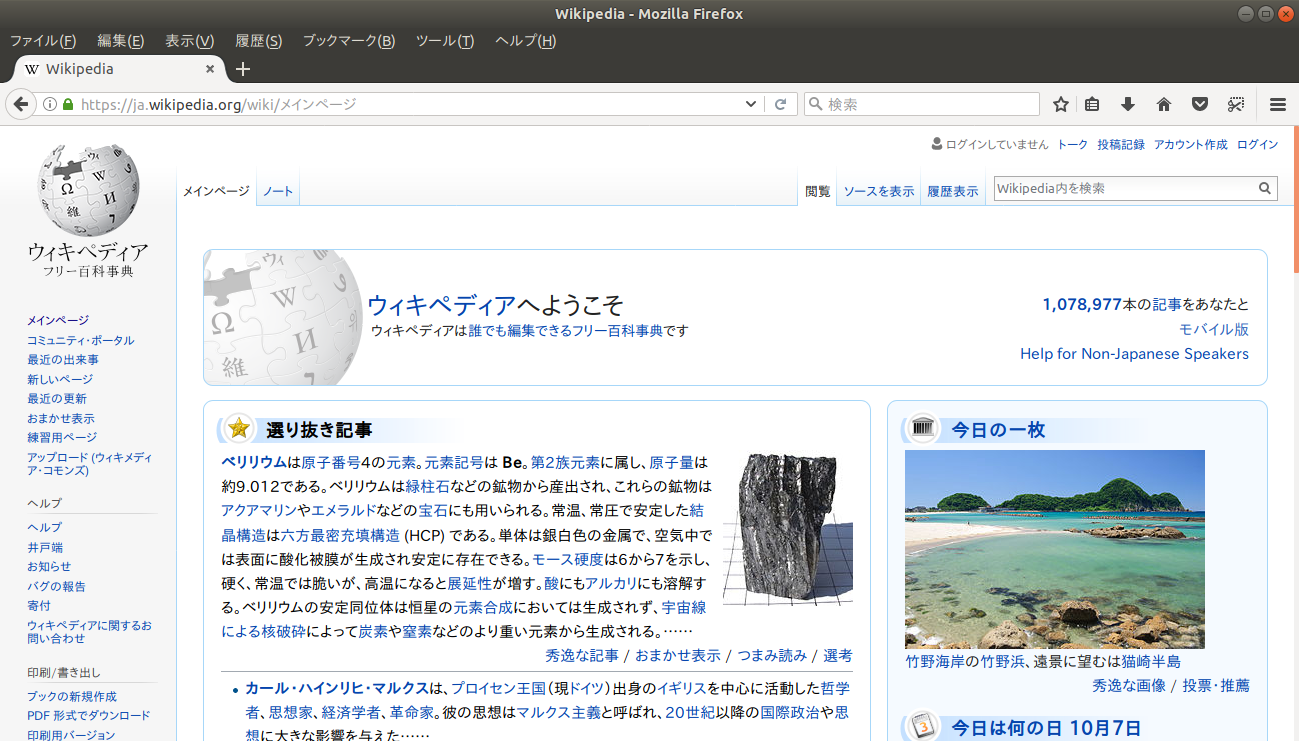
I tried it. Displayed glyphs are not so bad. However all glyphs are
slightly thin. And it seems that some glyphs are not Noto's glyph...

** Attachment added: "wikipedia_takao.png"

https://bugs.launchpad.net/ubuntu/+source/language-selector/+bug/1581160/+attachment/4964271/+files/wikipedia_takao.png

--
You received this bug notification because you are a member of Desktop
Packages, which is subscribed to language-selector in Ubuntu.
https://bugs.launchpad.net/bugs/1581160

Title:
  Switch to Noto Sans as default font for Japanese and/or Korean?

Status in language-selector package in Ubuntu:
  Confirmed

Bug description:
  In Ubuntu 16.04 Noto Sans CJK is the default font for rendering
  Chinese. After having struggled with a few issues, I believe that we
  finally achieved the desired improvement of the rendering experience.

  So now I ask: Is there an interest from Japanese and Korean users to
  consider a switch to Noto Sans? (The fonts are already installed for
  all users on Ubuntu 16.04.)

To manage notifications about this bug go to:
https://bugs.launchpad.net/ubuntu/+source/language-selector/+bug/1581160/+subscriptions

--
Mailing list: https://launchpad.net/~desktop-packages
Post to     : [email protected]
Unsubscribe : https://launchpad.net/~desktop-packages
More help   : https://help.launchpad.net/ListHelp