http://developer.android.com/guide/practices/screens_support.html#attrs
On Oct 29, 10:17 pm, John Gaby <[email protected]> wrote:
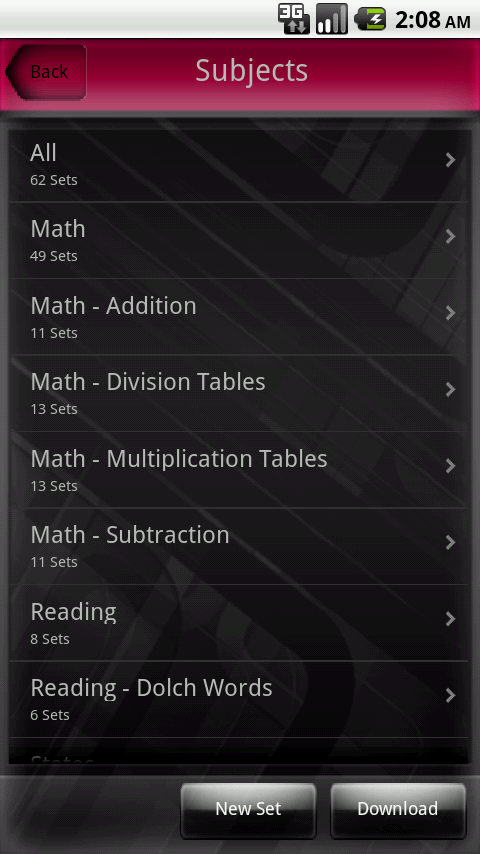
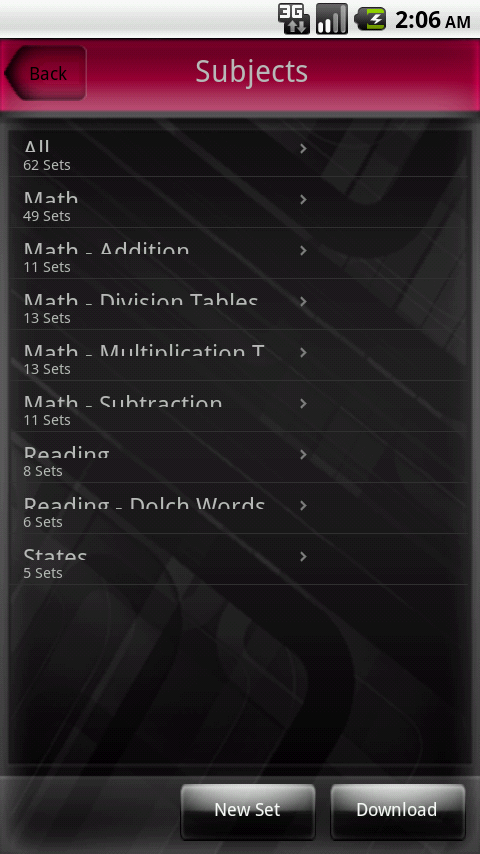
> I have a ListView where the rows are not scaled properly under certain
> circumstances.  If I build my project using the following manifest,
> then the ListView looks like:http://gabysoft.com/images/androidgood.png.
> However, if I change the minSdkVersion to 4 (and that is the ONLY
> change), then the ListView looks
> like:http://gabysoft.com/images/androidbad.png.
> Note that if I run on a 320x480 device, then everything works fine.
>
> Can anyone explain what is going on here?
>
> Thanks
>
> <?xml version="1.0" encoding="utf-8"?>
> <manifest xmlns:android="http://schemas.android.com/apk/res/android";
>       package="com.gabysoft.myapp"
>       android:versionCode="1"
>       android:versionName="1.0">
>     <uses-permission android:name="android.permission.INTERNET" />
>         <uses-permission android:name="com.android.vending.CHECK_LICENSE" />
>     <uses-sdk android:minSdkVersion="3" />
>     <application android:label="@string/app_name"
> android:debuggable="true" android:icon="@drawable/icon">
>         <activity android:name=".MyApp"
>                   android:label="@string/app_name"
>                   android:theme="@android:style/Theme.NoTitleBar"
>                   android:configChanges="orientation|keyboardHidden">
>             <intent-filter>
>                 <action android:name="android.intent.action.MAIN" />
>                 <category
> android:name="android.intent.category.LAUNCHER" />
>             </intent-filter>
>         </activity>
>     </application>
> </manifest>

--
You received this message because you are subscribed to the Google
Groups "Android Developers" group.
To post to this group, send email to [email protected]
To unsubscribe from this group, send email to
[email protected]
For more options, visit this group at
http://groups.google.com/group/android-developers?hl=en